
Keys in the wallet, coins on the chain
Your bitcoin or ether is a record in a public ledger that thousands of computers keep in step, as Crypto from Zero explains. What the wallet holds is a private key: a very large secret number that can sign an instruction to move that record.
From the private key, the wallet works out your address, the string you give to anyone who wants to pay you. Anyone can send to the address. Only the key can spend from it.
The link runs one way, and it’s why a wallet is better thought of as a key ring than a purse.
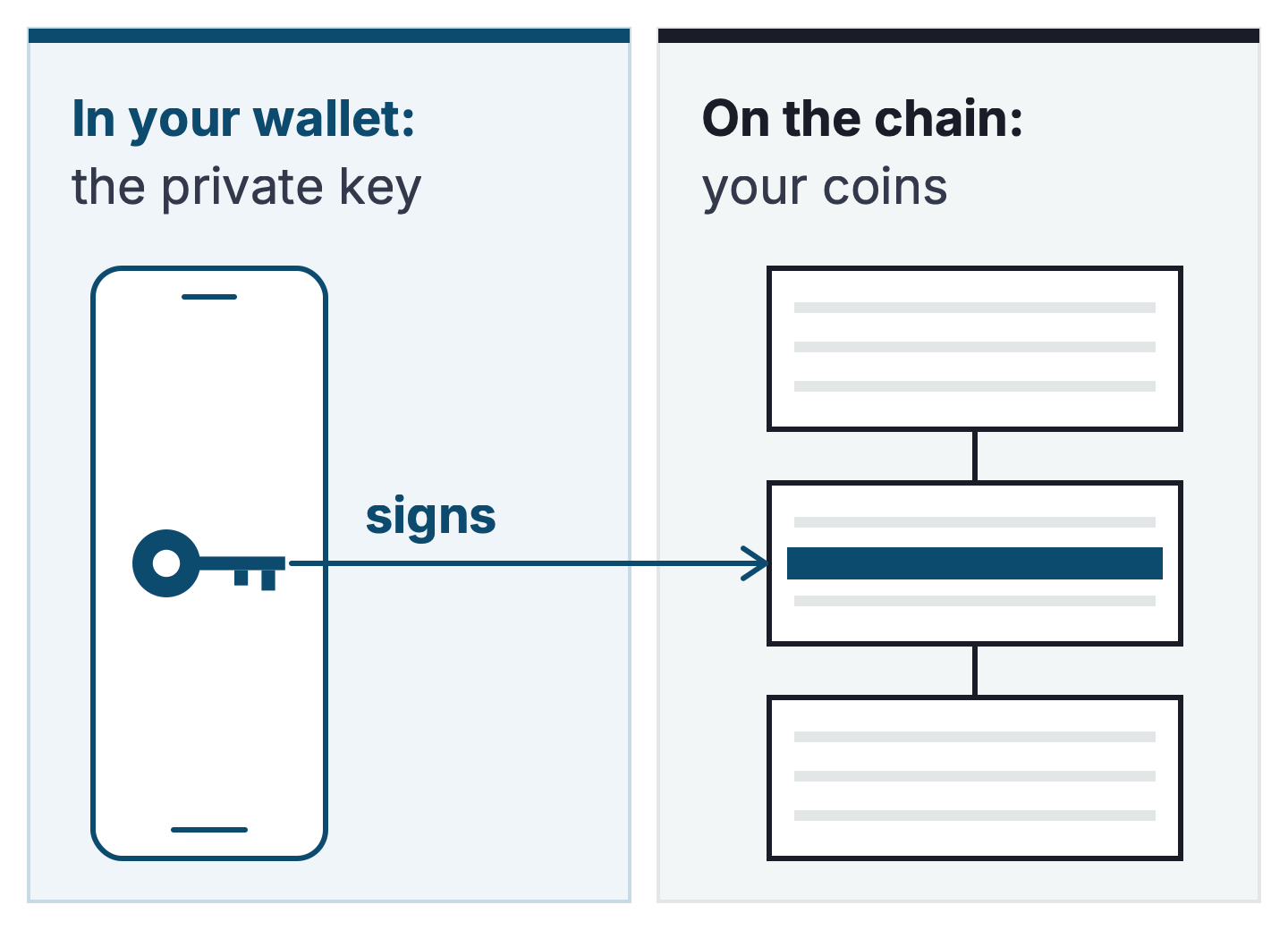
The wallet app does two jobs with that key. It reads the chain and shows you a balance, and when you want to pay someone it signs the transaction and hands it to the network. A wallet with no key can do the first job and never the second.
What the recovery phrase is
When a wallet is set up it makes a list of words. Most wallets use 12 or 24 words from a fixed list of 2,048, under a standard called BIP-39.
Trezor’s newer devices use a 20-word format under a later standard, SLIP-39, which does the same job. A 20-word backup restores only on wallets that support SLIP-39, and many don’t.
Those words are the key. Every private key the wallet will ever use is worked out from them, and any compatible wallet from any maker can do the working out.
Lose the words and the device together, and nothing brings the money back. There’s no helpline, because there’s no company in the middle holding a copy.
Ledger’s own guidance says a genuine device “never asks you to enter your recovery phrase on a computer, phone, app, or website.” The other makers say the same in their own words, because none of them holds a copy. That’s the price of a system where nobody can freeze your money: nobody can rescue it either.
One phrase makes many addresses. Your wallet can show you five accounts on Ethereum and three on Bitcoin, and all eight come from the same words.
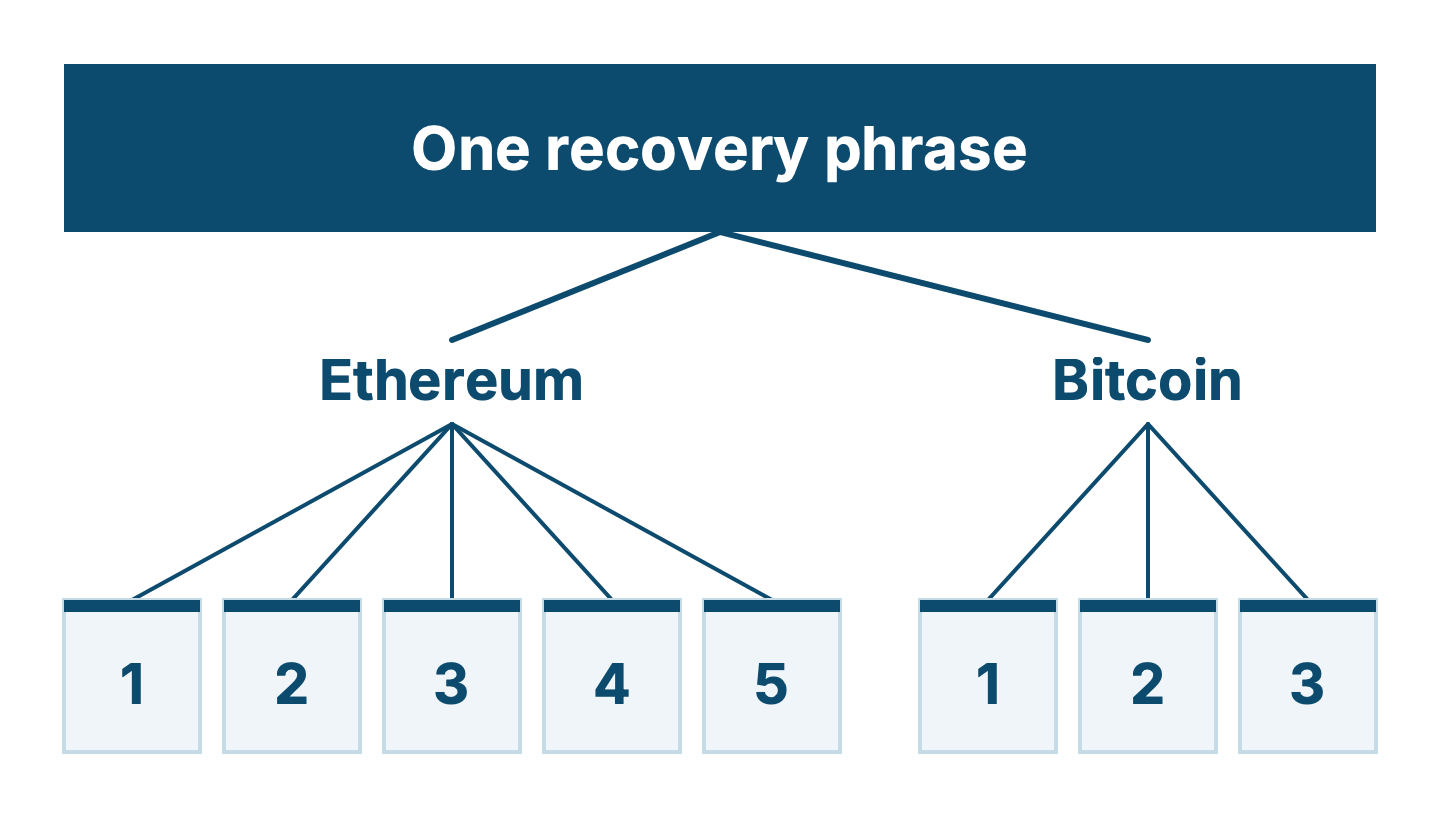
Spreading money across accounts inside one wallet spreads nothing. If the phrase leaks, every account made from it goes at once.
Hot and cold
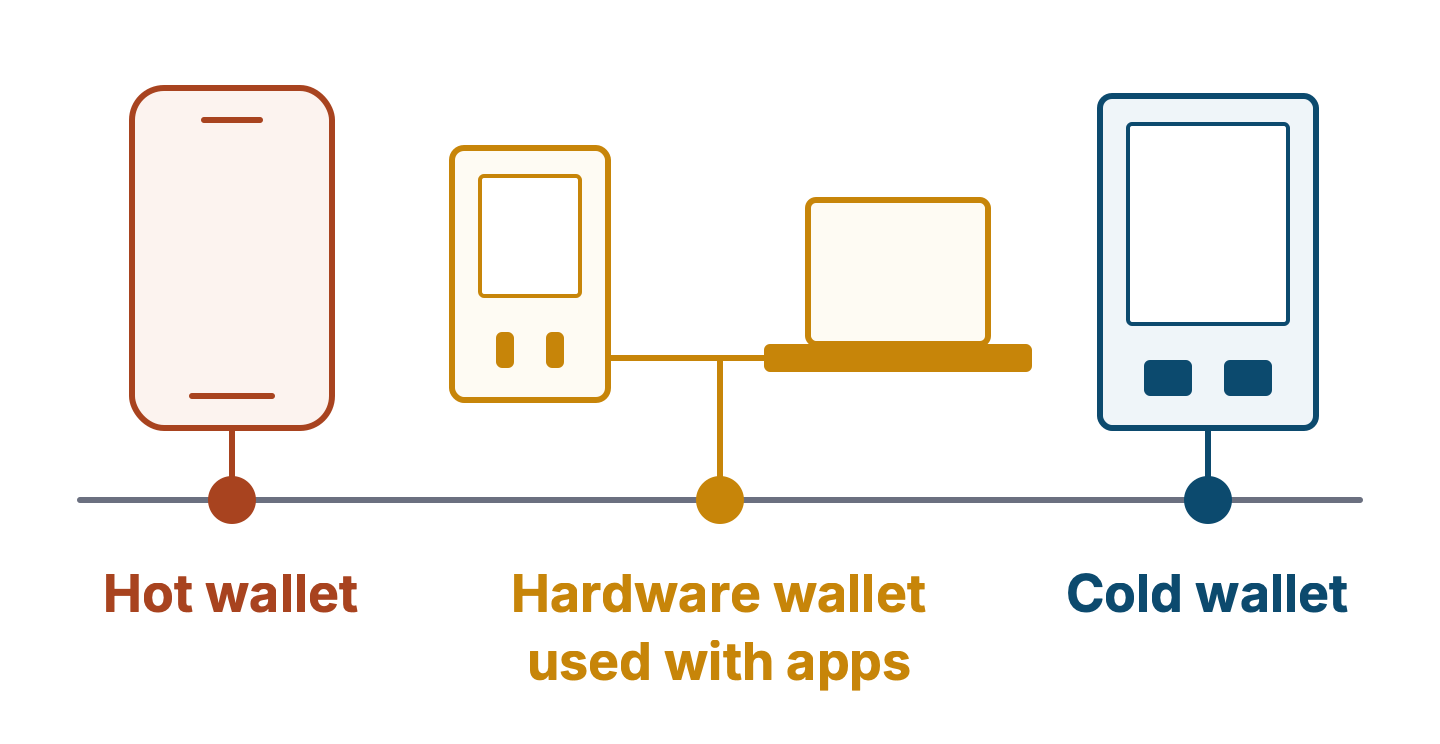
A hot wallet keeps the key on a device that’s online: a phone app, a browser extension, a desktop program. It’s convenient, and it’s exposed to whatever gets onto that device, from malware to a fake website that asks you to sign.
A cold wallet keeps the key on a small device that never gives it out, a hardware wallet. The key is generated inside it, the transaction is signed inside it, and only the signature leaves. Your laptop can be full of malware and the key stays where it is.
Cold has a limit worth knowing from the start. A hardware wallet protects the key, and it can’t protect you from signing something bad.
Ledger’s own definition says a cold wallet is one that never interacts with smart contracts, and that an account stops being cold the moment it connects to an app. Lesson 6 is about living with that.
Held for you, or held by you
An account at an exchange is a wallet too, and a different kind. The exchange holds the keys, and you hold a claim on the exchange. That buys you a password you can reset and a customer service desk.
It also means the exchange’s problems are your problems. When FTX failed in November 2022, its customers found out what a claim is worth. Three Ways to Hold Crypto, a course coming to the Learning Lab, covers how to check who you’re trusting.
Self-custody means you hold the phrase. Nobody can freeze it, and nobody can undo your mistakes.
Which you need, and when
If you’re learning with an amount you could shrug off, an exchange account or a software wallet with a little in it is fine. Treat it as practice money, and expect to make a mistake or two with it.
If you hold anything you’d mind losing, put it behind a hardware wallet with the phrase written on metal. The next three lessons take you from the box to a tested backup, and they’re written so that you can follow them with the device in your hand.
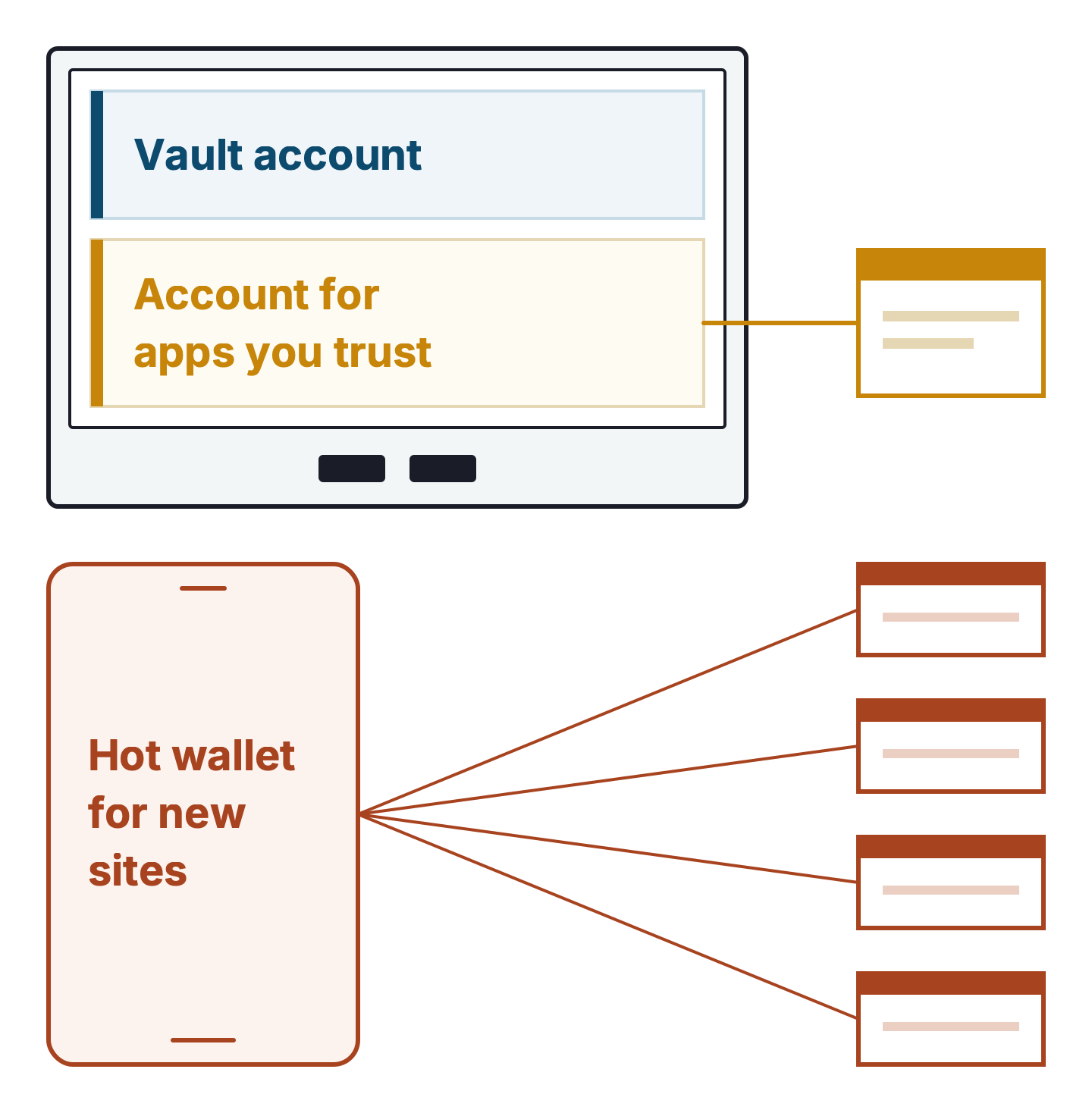
Most people end up with three accounts: a vault account on the hardware wallet that never connects to anything, a hardware account connected to apps you trust, and a separate hot wallet with little in it for new sites. That split is the single habit that stops one bad signature from emptying everything you own, and lesson 6 shows how to set it up.
Last checked: 5 November 2026